The server behind every screen
The MediaProxy server collects catalogues from your sources, matches them to TMDB, keeps everyone's progress and streams to every app. It runs on hardware you already have.
Run it where it suits you
On a NAS
Docker on Synology, QNAP, Unraid or TrueNAS. A low-resource mode keeps entry-level boxes smooth.
On a Raspberry Pi or mini PC
Linux on ARM64 or x86-64. Set MP_LOW_RESOURCE=1 and it adapts to small hardware.
In the cloud
A small virtual server with Docker Compose. Caddy adds HTTPS for your own domain automatically.
On our Box
Server and TV app in one small device, ready out of the box.
MediaProxy Box
The server does the heavy lifting
- Accounts for everyone at home
- Each person gets their own favourites, history and recommendations. Hide sections per person.
- Proper metadata
- Titles are matched to TMDB and IMDb, with posters, logos, cast, trailers and age ratings.
- A real programme guide
- Guide data for every live channel, merged across sources, with XMLTV for anything missing.
- Trakt built in
- Import your history and watchlist, and scrobble what you watch.
- Downloads and transcoding
- Keep copies on the server and convert with your hardware's video encoder when a device needs it.
- Runs on small hardware
- A low-resource mode keeps it smooth on a Raspberry Pi, a TV box or an entry-level NAS.
- Works with other players
- Also serves Stremio, Chillio and Jellyfin, so existing setups keep working.
- Your own media too
- Point it at folders of films, series and music. It reads existing Kodi and Jellyfin metadata.
A look at the web admin
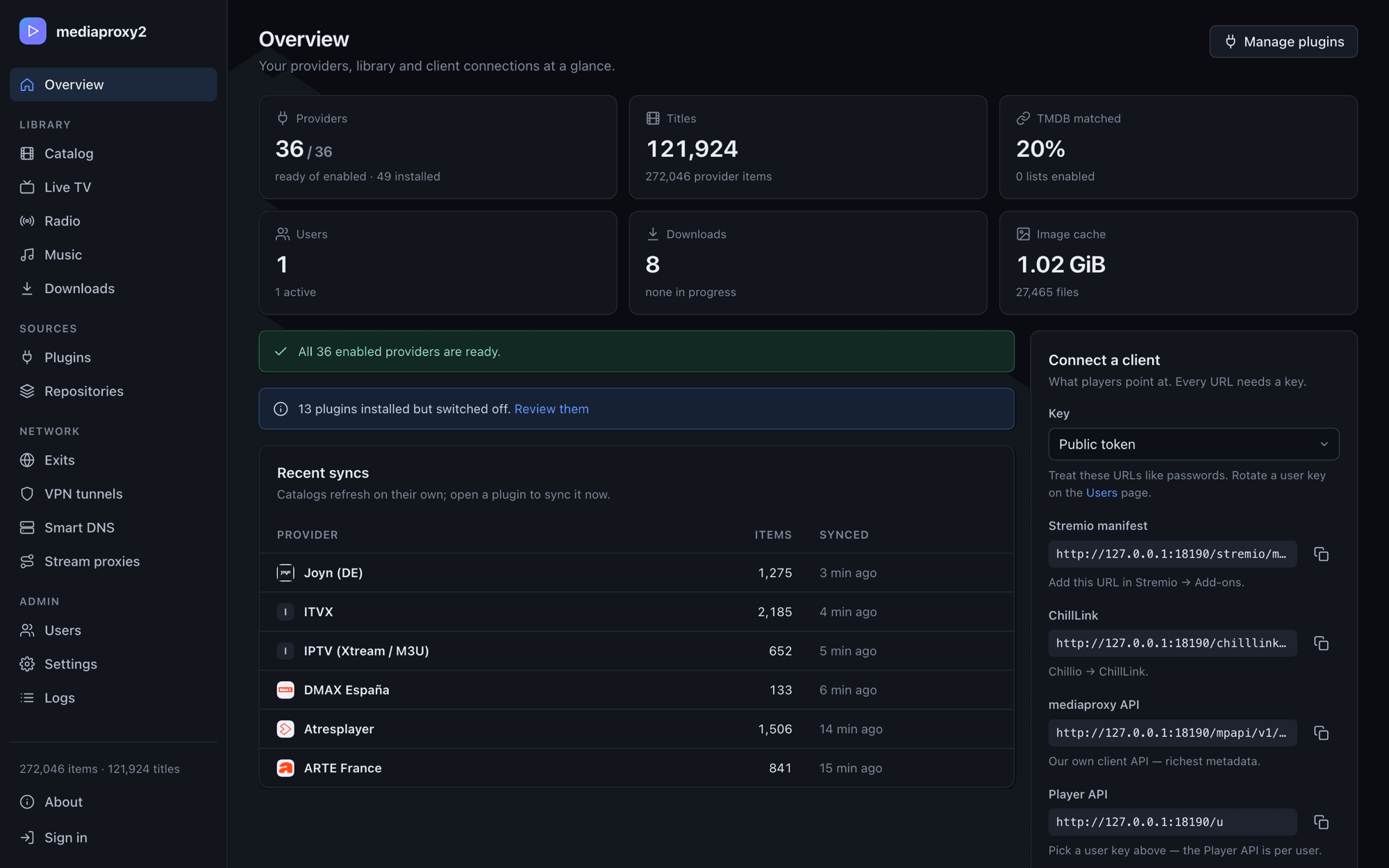
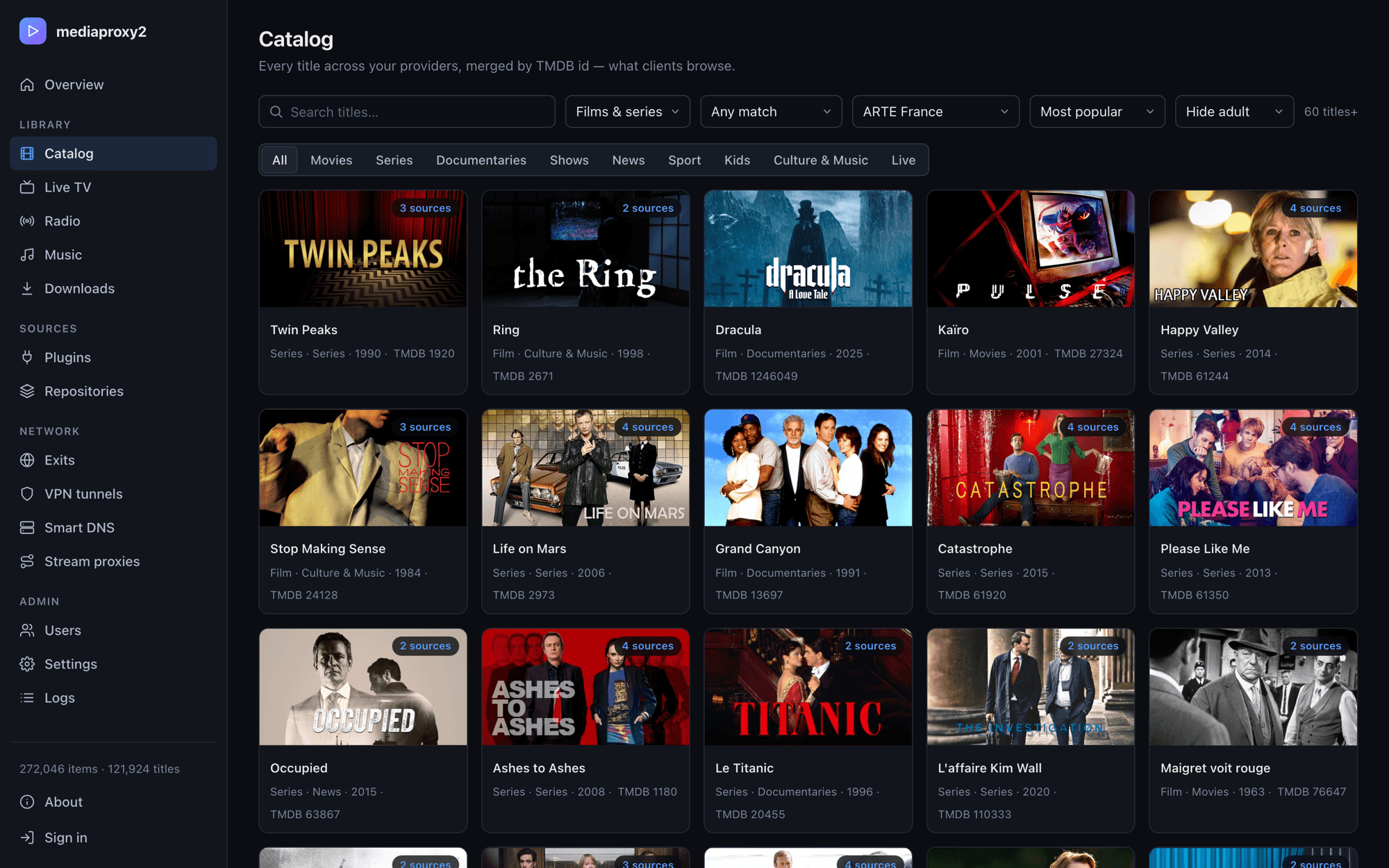
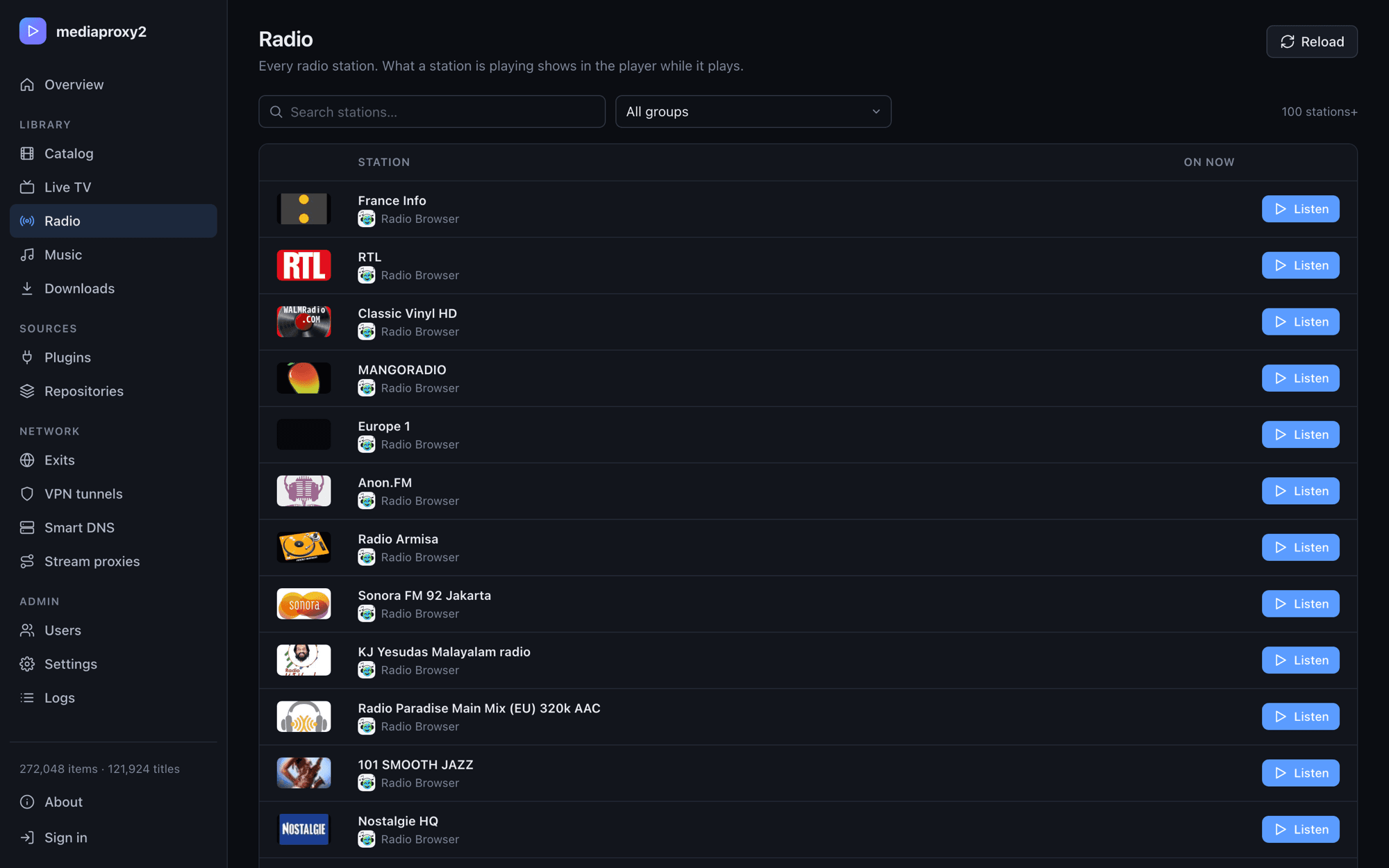
Everything from one web admin
Sources
Turn sources on, test them, sync now, and see what each one brought in.
Library
Browse the catalogue, fix a TMDB match, check artwork and the live guide.
Accounts
Create accounts, decide what each person can see and set adult PINs.
Repositories
Add community repositories and install or update their plugins.
Downloads
Keep copies on the server, converted with your hardware's encoder.
Connections
Ready-made addresses for the MediaProxy apps, Stremio, Chillio and Jellyfin.
Works with the players you already use
Stremio
Add the server as a Stremio add-on, with your catalogues and personal rows.
Chillio
Connect it as a ChillLink source, including live TV, radio and music.
Jellyfin
Export a library with .strm and .nfo files, plus an M3U tuner and XMLTV guide.
Up and running in a few minutes
You need Docker and a free TMDB API key, or no key at all once you pay for an extra account.
1Add your domain and TMDB key
cp deploy/.env.example deploy/.env2Start the server
docker compose -f deploy/docker-compose.yml up -d3Open the web admin and turn on sources
http://your-server:8080
What it needs
- Platforms
- Linux on x86-64 or ARM64, in Docker or as a native build
- Memory
- 1 GB is enough for a household; more for many sources at once
- Storage
- A few GB for the database and artwork cache, plus your downloads
- Network
- Any home connection; HTTPS through the included Caddy setup
- Metadata
- Your own free TMDB key, or ours with a paid plan